Ins Headphone
Controller Mobile App 手机控制器应用
Technical Support · 技术支持
Ins Headphone is the companion app for compatible Inspirnext Bluetooth headphones. After the headphone is connected, you can choose a sound mode, adjust a 10-band equalizer, switch noise control, change the voice-prompt language, and view the battery level.
Ins Headphone 是 Inspirnext 兼容蓝牙耳机的配套应用。耳机连接后,可以选择音效模式、调节 10 段均衡器、切换降噪、更改提示音语言,并查看电量。
Contact
For technical support, feedback, or a feature request, contact Inspirnext. Please include your phone model, system version, and a short description of the problem.
如需技术支持、意见或功能建议,请联系 Inspirnext。来信或来电时,请写上手机型号、系统版本,以及问题的简要说明。
- Company Inspirnext
- Email tubbs@inspirnext.com
- Phone +86 18022413116
- WhatsApp +86 18022413116
- Office Guangzhou, China
How to connect
- Turn the headphone on, and turn on Bluetooth on your phone.
- Open Ins Headphone and allow Bluetooth. On Android, also allow Nearby devices. Some Android versions ask for location permission so the phone can scan for Bluetooth devices. The app does not collect or upload your location.
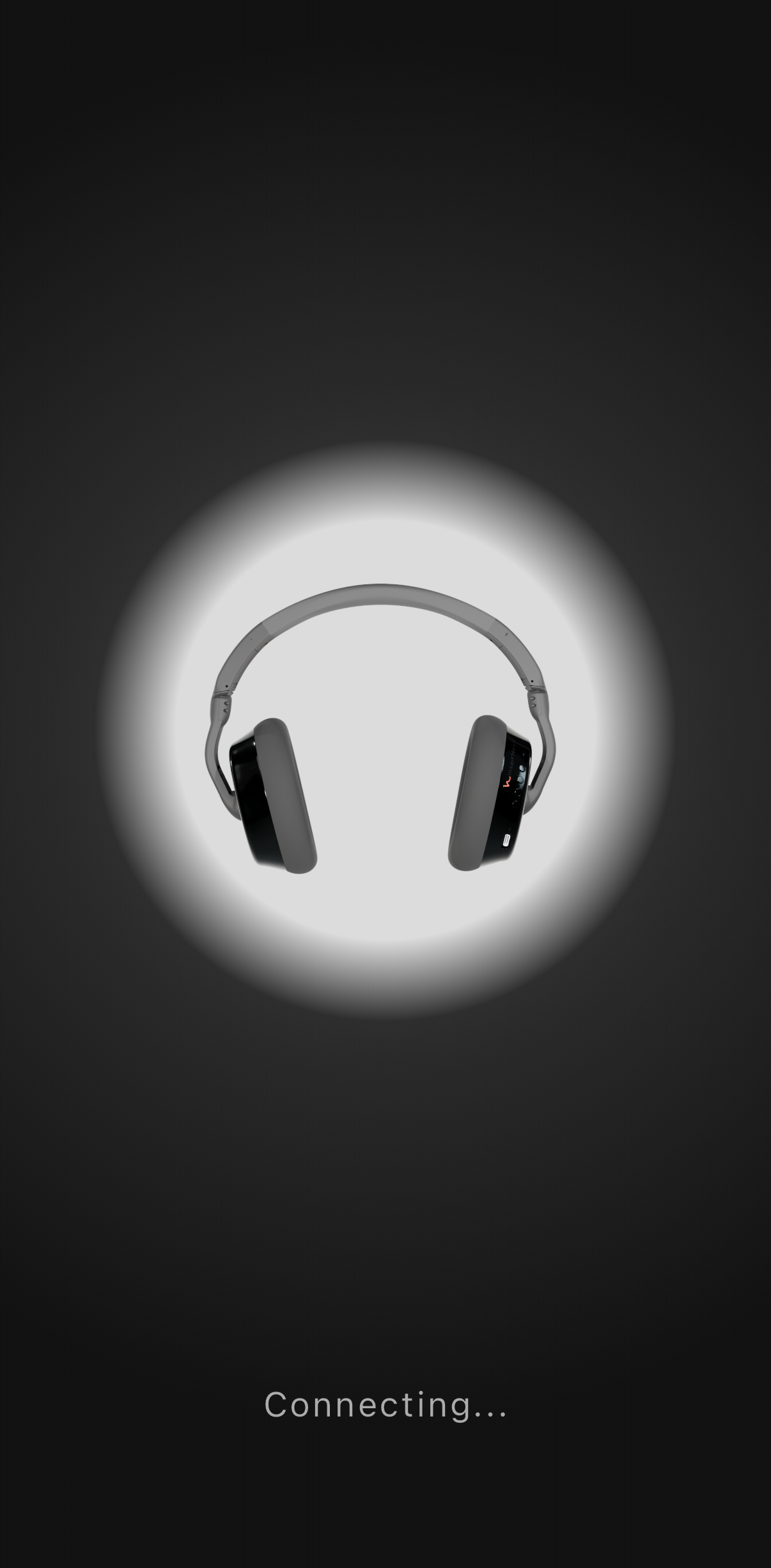
- Keep the headphone near the phone. If one compatible headphone is found, the app connects to it. If more than one is found, choose it from the list.
- After it connects, select a sound mode, or open Custom 1 or Custom 2 to edit the equalizer.
打开耳机和手机蓝牙后,打开 Ins Headphone 并允许蓝牙权限。Android 上还需要允许“附近的设备”。部分 Android 版本会为扫描蓝牙而请求位置权限,本应用不收集、不上传位置。只发现一台兼容耳机时会自动连接;发现多台时请从列表中选择。连接后即可选择音效,或打开自定义 1、自定义 2 编辑均衡器。
What you can do
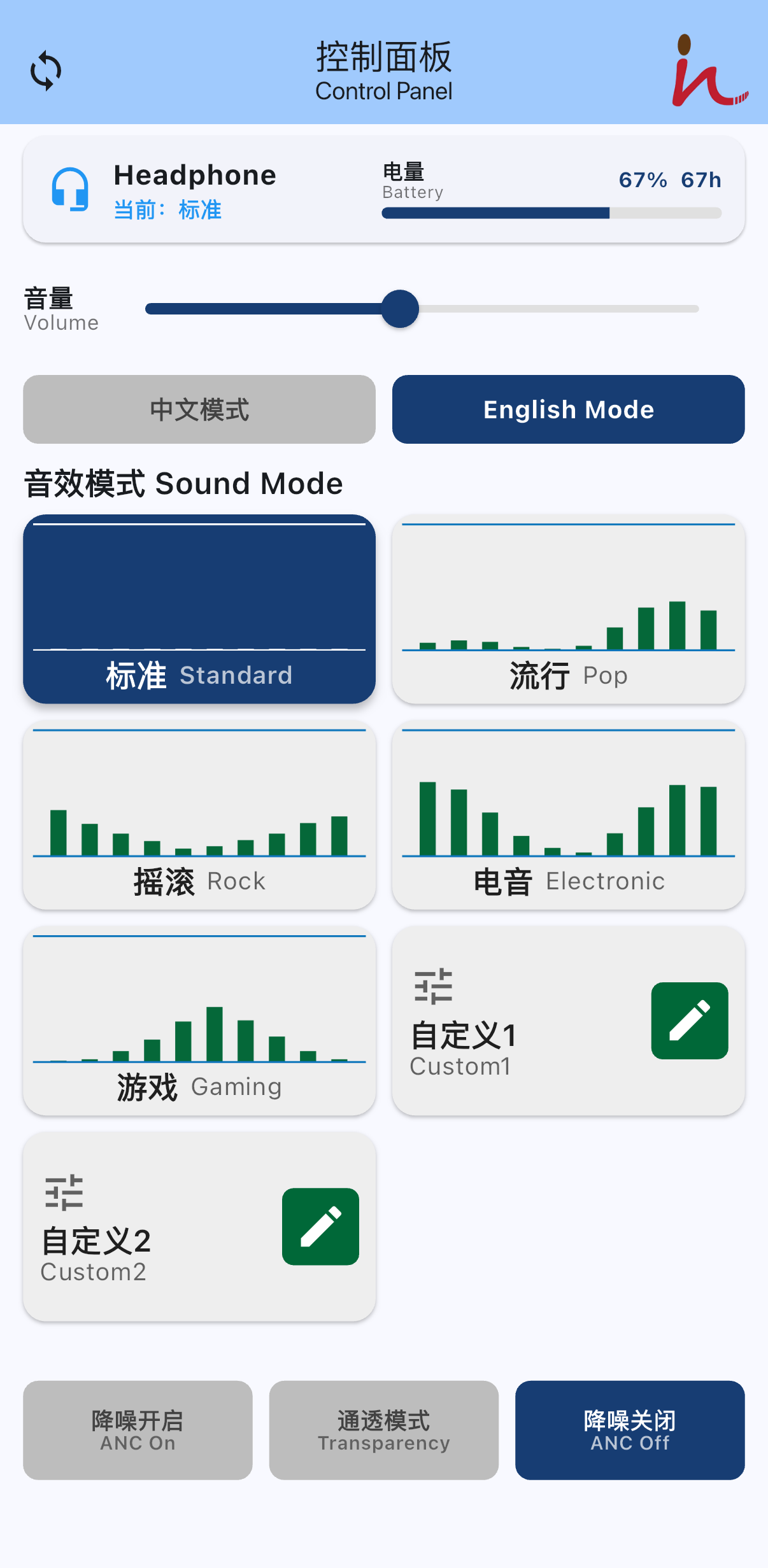
- Sound modes: Standard, Pop, Rock, Electronic, Gaming, Custom 1, and Custom 2.
- A 10-band equalizer, from 31 Hz to 16 kHz. Custom settings are saved on this phone only.
- Noise control: ANC On, Transparency, and ANC Off.
- Voice-prompt language: 中文模式 or English Mode.
- Headphone volume and battery level.
可使用的音效为标准、流行、摇滚、电音、游戏、自定义 1 和自定义 2。均衡器为 10 段,从 31 Hz 到 16 kHz,自定义参数只保存在这台手机上。降噪可选开启、通透或关闭。提示音可选中文模式或 English Mode。页面上还可以调节音量并查看电量。
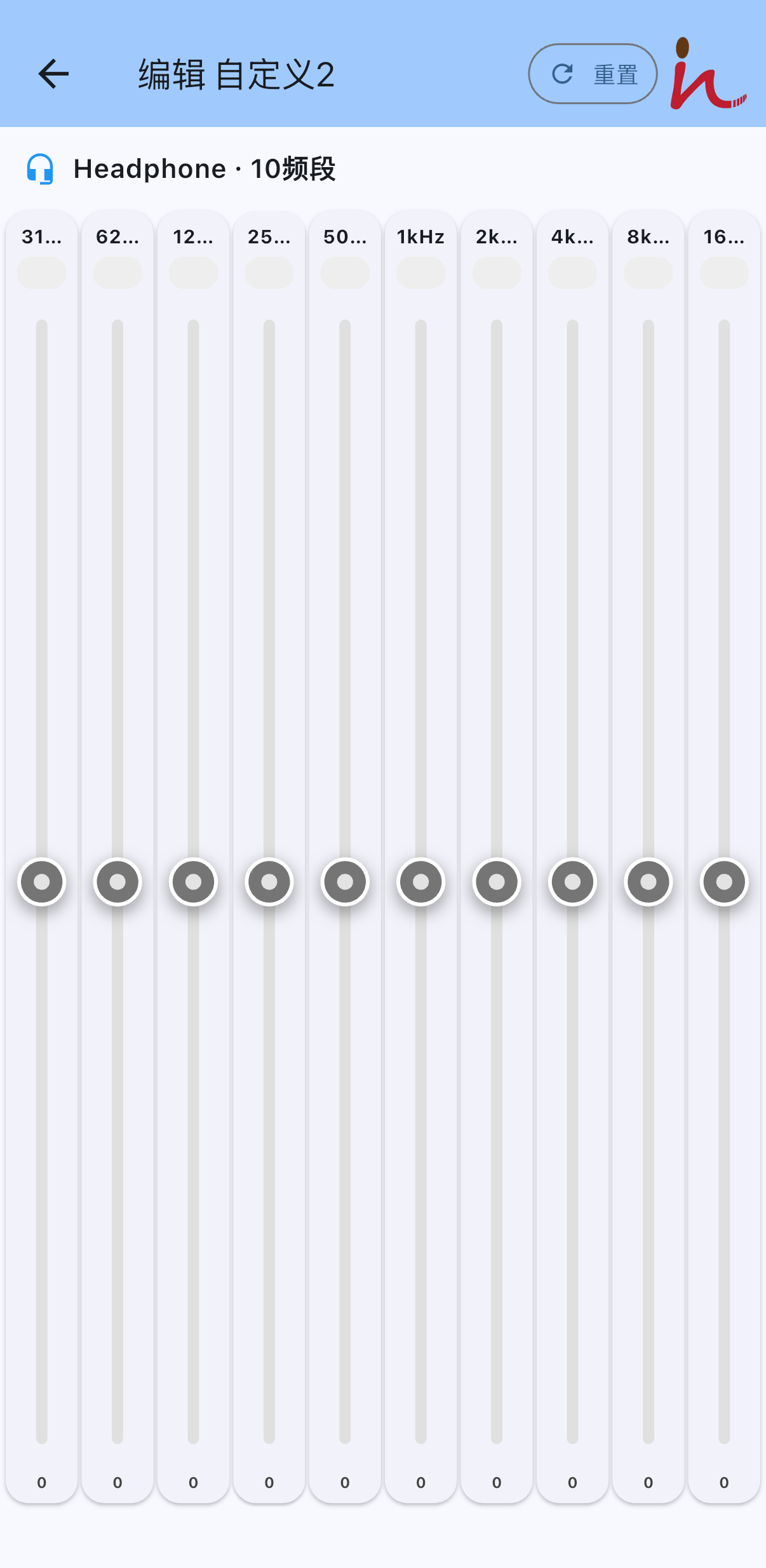
Open Custom 1 or Custom 2 on the control panel. Drag each band from 31 Hz to 16 kHz. Tap Reset to return every band to 0. The setting stays on this phone.
在控制面板打开自定义 1 或自定义 2,拖动 31 Hz 到 16 kHz 的各频段。点“重置”可把各频段恢复为 0。该设置只保存在这台手机上。
If something does not work
- The headphone is not found. Confirm that it is powered on, Bluetooth is on, and it is not connected to another phone. Move closer, then open the app again.
- Permission was denied. In the phone settings, allow Bluetooth for Ins Headphone. On Android, also allow Nearby devices. Allow Location if the system still asks for it.
- The sound mode does not change. Confirm that the app still shows the headphone as connected, then select the mode again.
- Custom equalizer. Open Custom 1 or Custom 2, adjust the bands, and return. That setting stays on this phone.
找不到耳机时,请确认耳机已开机、手机蓝牙已打开,且耳机没有连接另一部手机,然后靠近手机再打开应用。权限被拒绝时,请在系统设置中为 Ins Headphone 打开蓝牙;Android 上同时打开“附近的设备”,若系统仍要求位置权限也请允许。音效没有变化时,请确认应用仍显示已连接,然后重新选择该模式。自定义均衡器请在自定义 1 或自定义 2 中调节,设置只保存在这台手机上。
Privacy
Ins Headphone does not ask for an account and does not upload personal data. Equalizer choices are stored on your phone. Bluetooth is used only to communicate with your headphone.
Ins Headphone 不需要账号,也不会上传个人数据。均衡器设置保存在您的手机上。蓝牙只用于与耳机通信。


